Open a .PcbDoc file without Altium Designer
A .PcbDoc file is a circuit board designed in Altium Designer. Konium Designer opens it with no licence and no account, shows it as it looks there, and can edit it and save it back in the same format.
How to open it
- Open konium.app/app in Chrome or Edge on Windows, macOS or Linux, or install Konium Designer first.
- Drop the .PcbDoc file on the window, or choose File › Open... (Ctrl+O).
- The board opens in the PCB editor.
To have the board together with its schematics, drop the whole project folder instead, or open its .PrjPcb file.
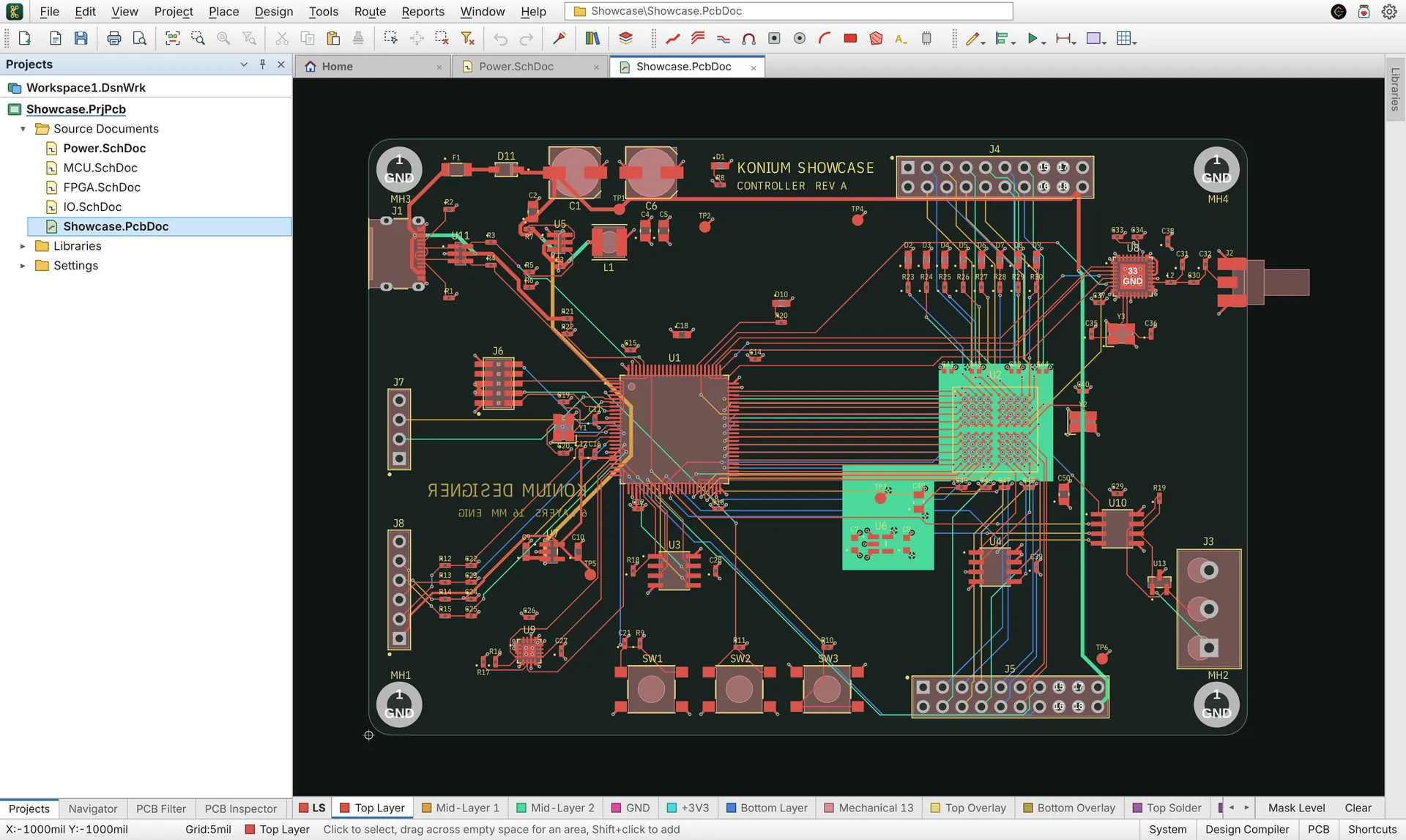
What you can do with the board
- Look at it layer by layer: the layer tabs along the bottom bring a layer to the front, and Single Layer Mode shows one at a time.
- See it in 3D: press 3 for 3D Layout Mode, and 2 to come back.
- Measure it: Ctrl+M measures the distance between two points.
- With the project open, Tools › Cross Probe goes from a part on the schematic to the same part on the board, and back.
- Print it or make a PDF. Printing goes through the browser's print dialog, where Save as PDF makes the file.
- Make manufacturing files from it: Gerber, Gerber X2, ODB++, IPC-2581, NC drill, pick and place and a bill of materials.
- Write the board as STEP or STL, or the design for KiCad, PADS, EasyEDA, EAGLE, DipTrace, OrCAD and Allegro.
- Edit it and save it as a .PcbDoc again, binary or ASCII.
Which .PcbDoc files open
Binary and ASCII .PcbDoc files both open. A board saved by an older or a newer version of the format opens with a File Format Change Report, which lists what changed between the versions that matters to the board.
Saving rewrites only what you changed. The parts of the file Konium Designer did not change are written back as they were read.
Your board stays on your computer
Konium Designer is a program that runs inside your browser, on your own computer. It reads the file from your disk and nothing is uploaded. Once it has been opened or installed it also works with no connection. The FAQ lists everything it can connect to.
Get Konium Designer
It is free, with no account. Install it from Chrome or Edge, keep it as one file, or try it in a browser tab. Version 26.209.